IT-shop
An internal IT ordering portal for an organisation, built from scratch. Staff order a computer as a complete package instead of separate parts, approvers and IT get a complete case, and admins have the catalogue, cost centres, rights, statistics and operations in one place.
The shop Product pages Orders and approvals Inventory Statistics Cost centres and delivery Managing the catalogue Roles, delegation and logs Operations On a phone
The screenshots are anonymised: the organisation's name and logo, people, e-mail addresses, cost centres, addresses, order numbers and prices are removed or blurred. The interface is in Swedish.
The shop
The start page explains the whole flow in four steps and leads with complete computer packages: a laptop or a desktop with screens and a dock, rented as one item, so IT gets a complete case instead of a list of spare parts.
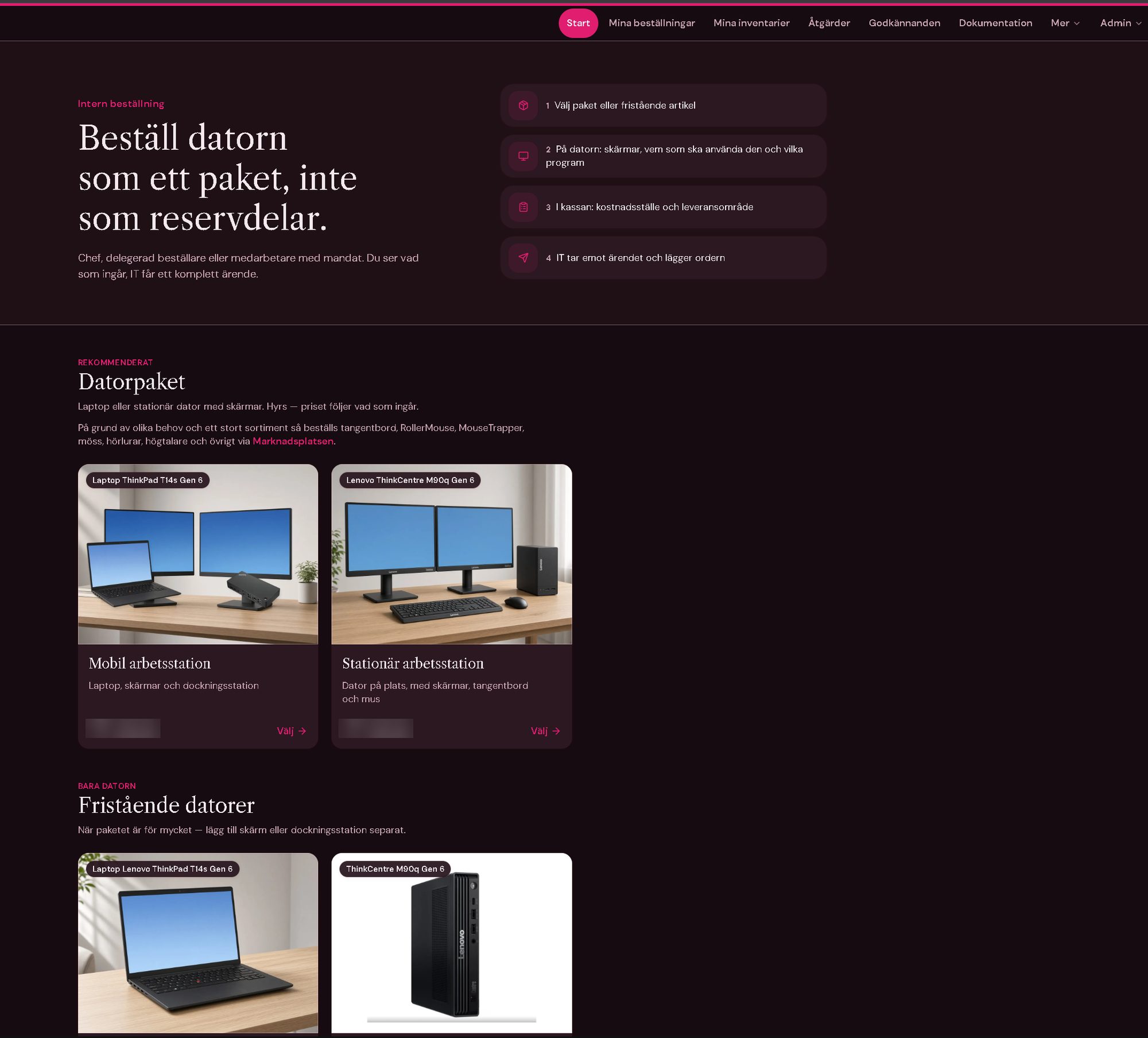
- Computer packagesRecommended packages first, with what is included and the monthly price, then standalone computers and accessories for those who need less.
- Four stepsChoose a package or item, set up the computer, pick cost centre and delivery area at checkout, and IT takes it from there.
- Rent or buyEvery product is either rented through a leasing agreement or bought outright, and the shop shows which.
- Who can orderManagers, delegated buyers and staff with a mandate; what each person sees and can do follows their role.
Product pages
A product page is a small configurator. The buyer picks the options, says who will use the computer and which programs it needs, and sees the price change before anything goes in the cart.
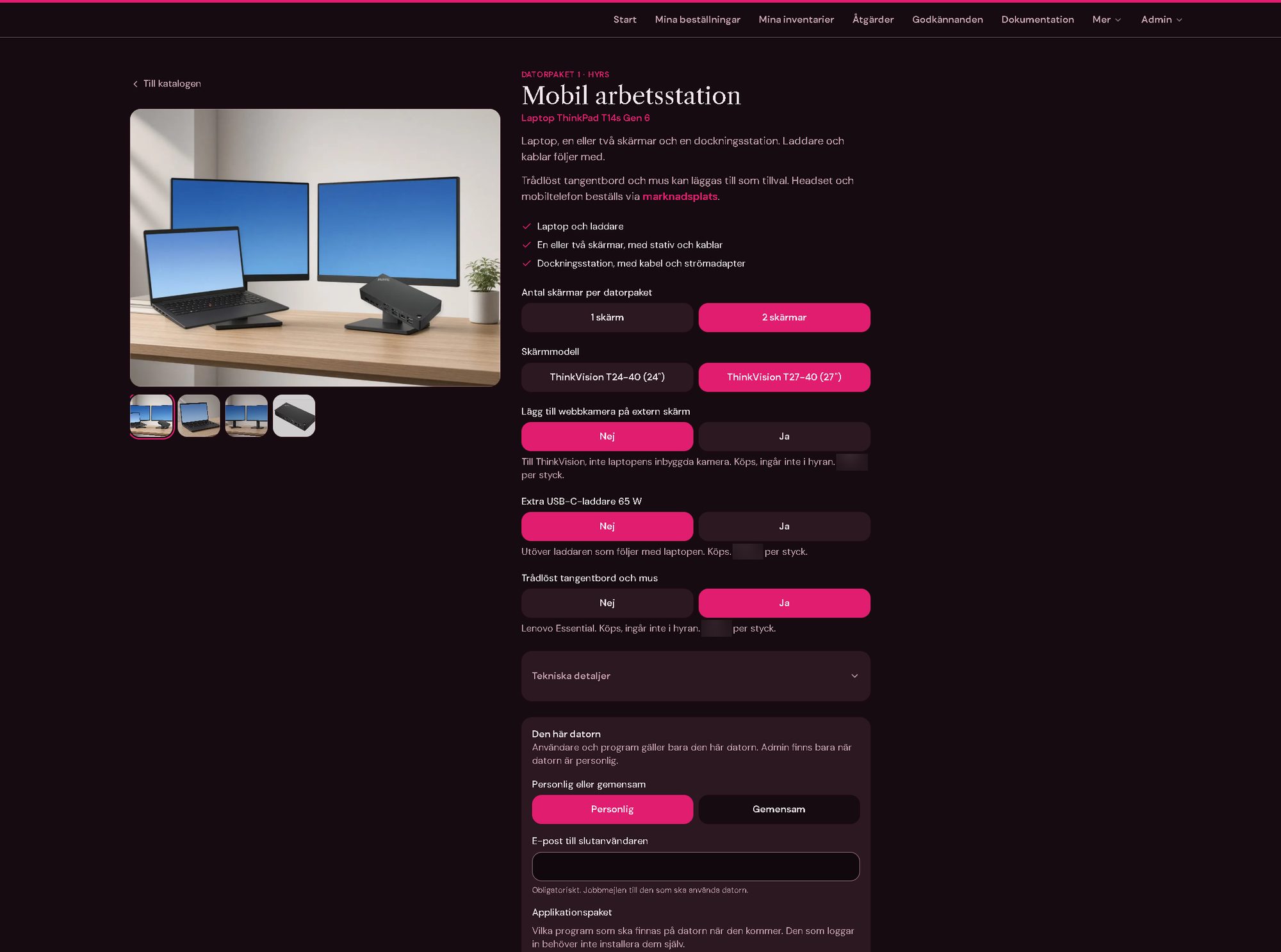
- OptionsNumber of screens, screen model, webcam, an extra charger or a keyboard and mouse, each with a short note on what it is and whether it is rented or bought.
- Personal or sharedA personal computer gets its end user's work e-mail; shared computers get a count and an optional name for each.
- Application packagesThe programs the computer should have when it arrives, so nobody has to install them after the first login.
- Price breakdownMonthly rent per part and period, the contract total, one-off purchases and freight, frozen on the order when it is placed.
- Technical detailsSpecifications, ports and what is in the box, with a gallery of product photos.
Orders and approvals
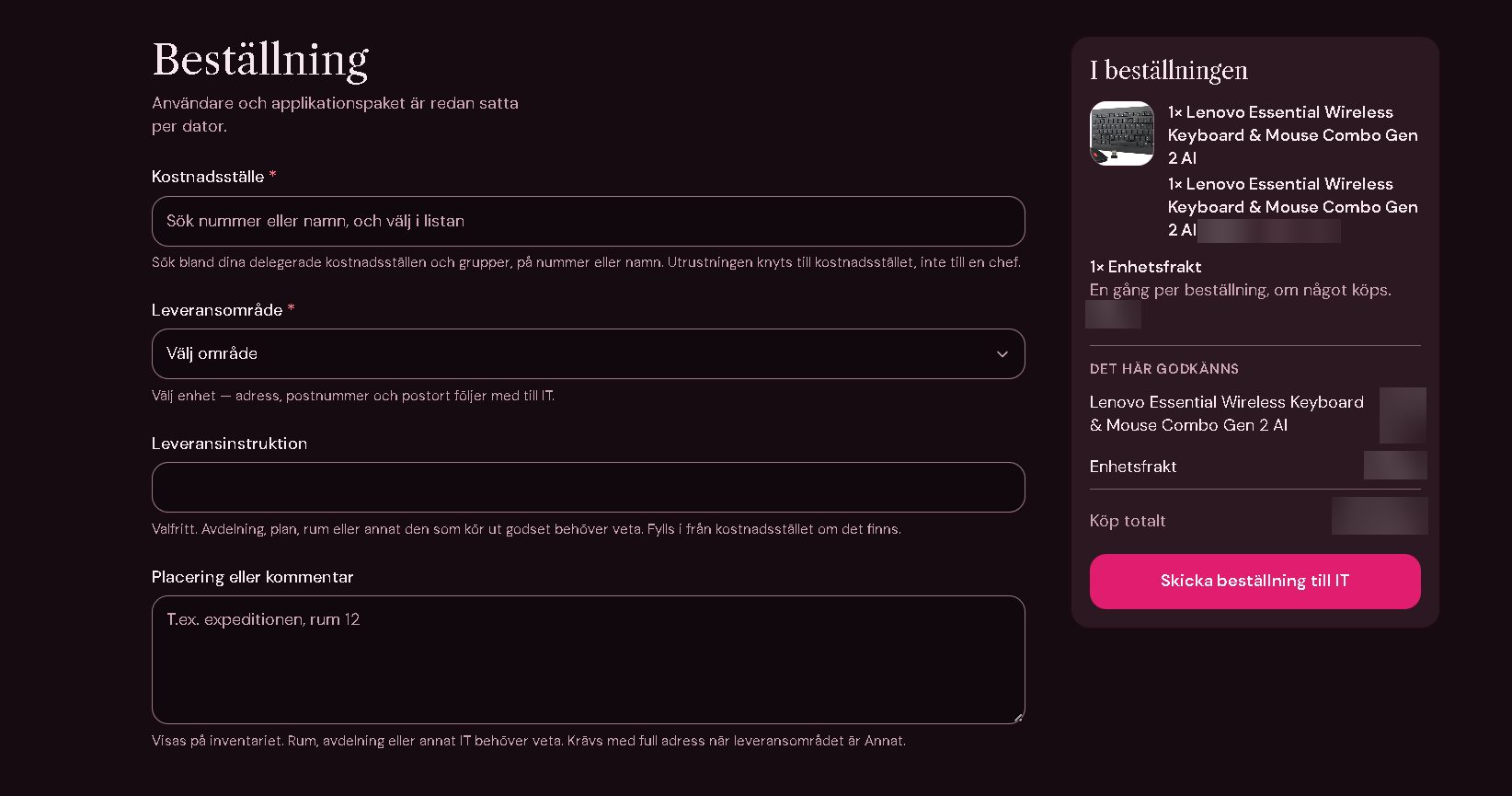
At checkout the buyer picks a cost centre among the ones they may order for and a delivery area, and can add a delivery instruction and where the equipment will be placed. If the cost centre has an approver the order waits for them; then IT gets the whole case by e-mail and moves it on step by step.
- ApprovalsApprovers per cost centre or group decide in their own list; the decision and who made it stay on the order.
- Status flowWaiting for approval, saved, sent to IT, processing, ordered from supplier and cancelled, moved one step at a time.
- Order listFor admins: search, filters for buyer, department, product, period and status, sortable columns, totals for the selection and export.
- For the buyerMy orders, my equipment and saved carts, so the next order starts from the last one.
- AssetsOrdered equipment becomes assets with warranty reminders, per cost centre, and requests to retire a computer that an admin approves.
Inventory
Delivered equipment ends up on one page: everything the person leases, plus the equipment on cost centres they have rights to. Each row shows what it is, which cost centre pays for it, who it is assigned to, when it was ordered and how much warranty is left.
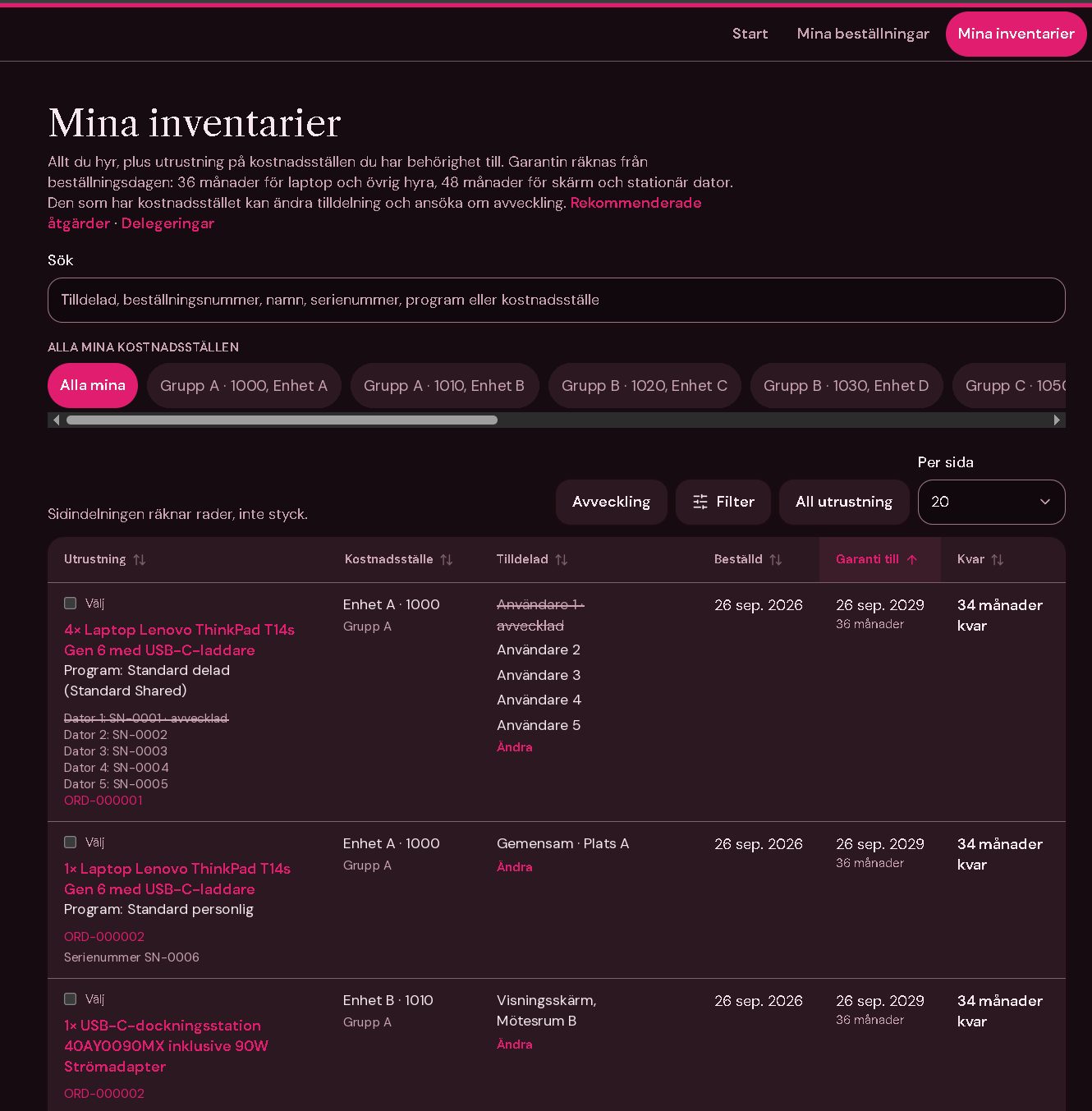
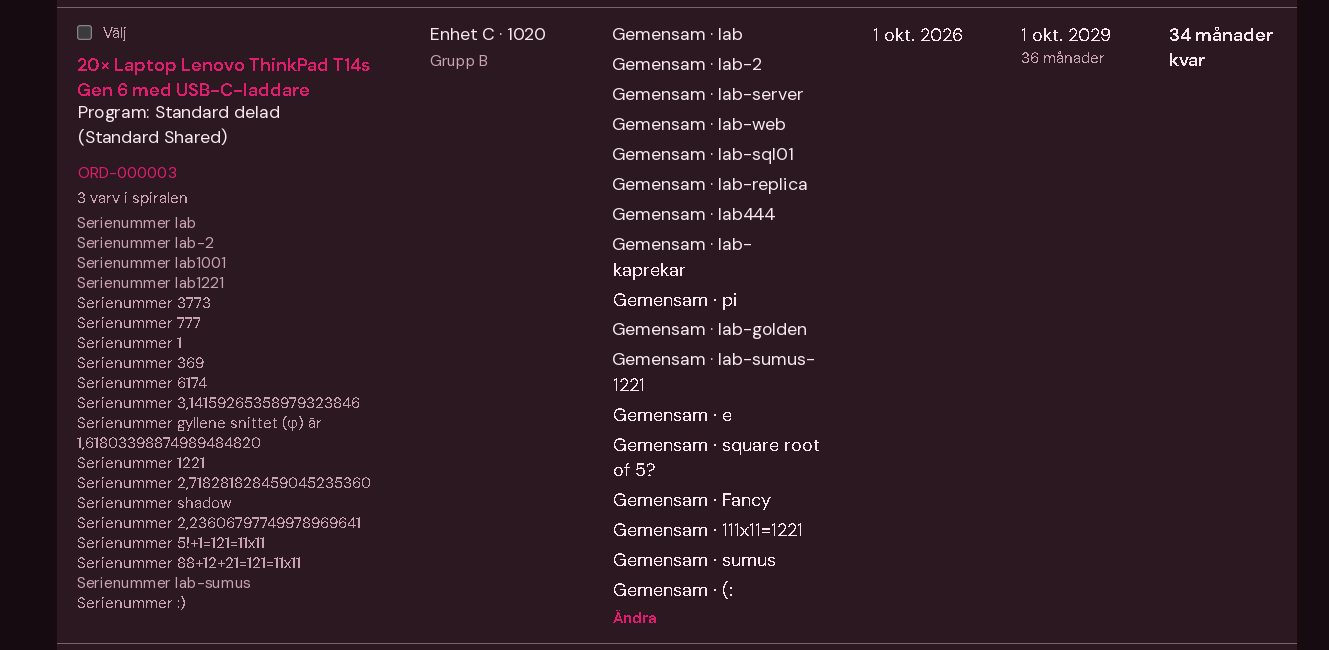
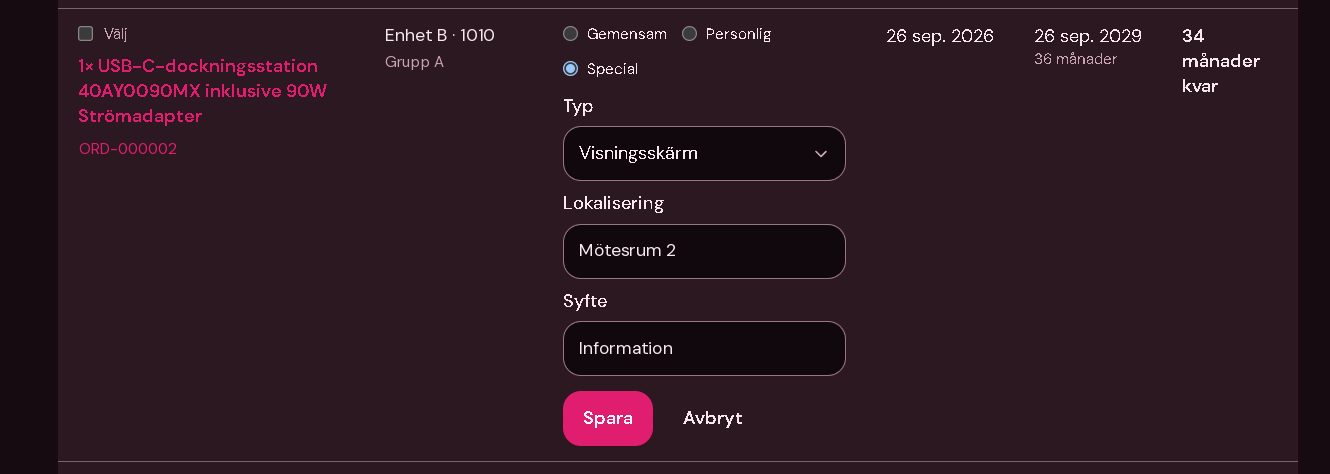
- Warranty from the order date36 months for laptops and other leased equipment, 48 months for screens and desktops, shown as an end date and as months left.
- AssignmentWhoever has the cost centre changes the assignment in the row itself: shared, personal or special, with type, location and purpose, unit by unit when one row holds several computers.
- DecommissioningPick rows or single units and request decommissioning; the row shows what is waiting until it has been handled.
- Search and filtersSearch on assignee, order number, name, serial number, program or cost centre, filter on cost centre, assignee, equipment, warranty and order date, and sort every column.
- Warranty statusFilter on active warranty, warranty running out within six months or expired, to see what is due for replacement.
Statistics
One page shows how the shop is used: the last 30 days plus the active agreements, with every number a link to the orders behind it.
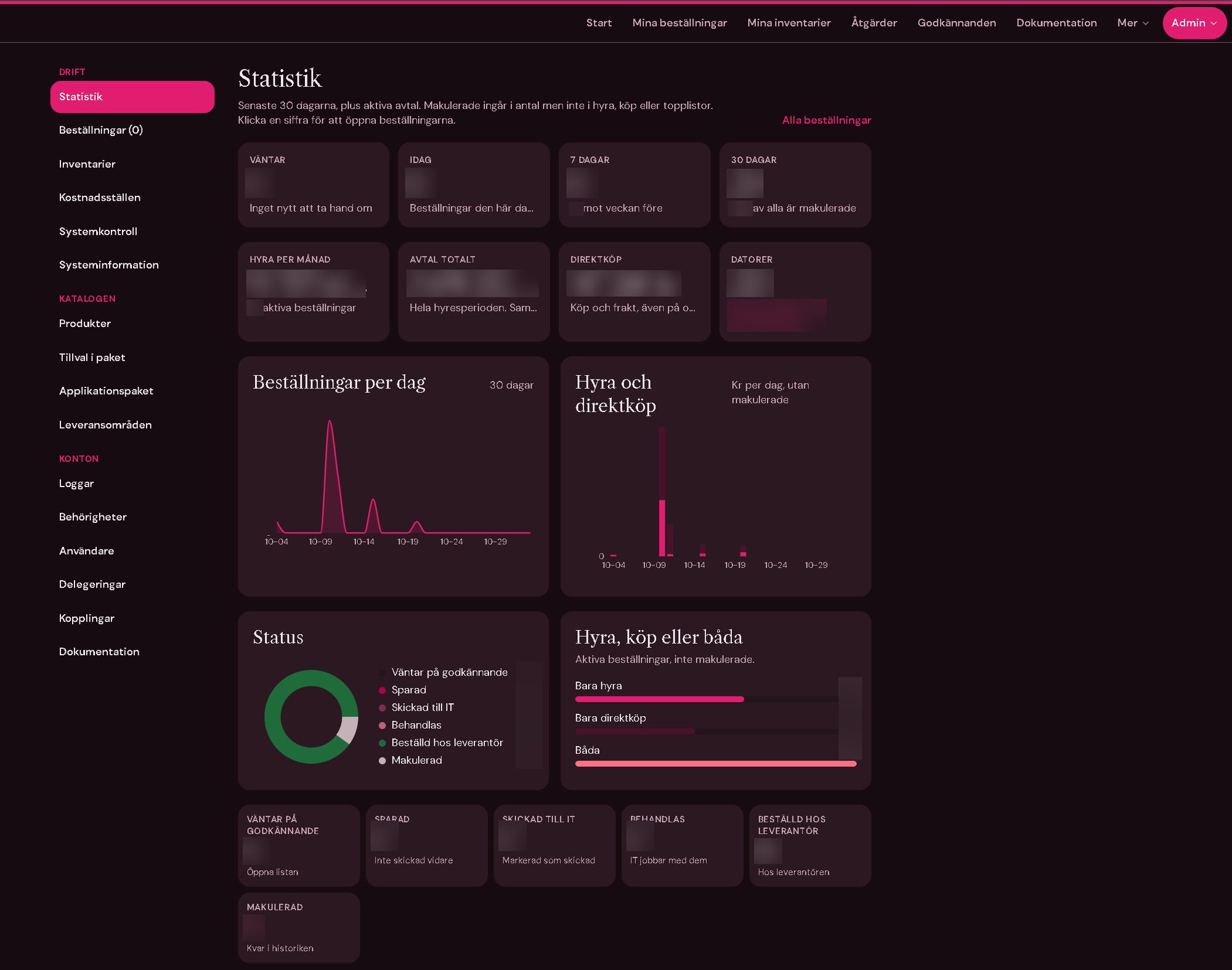
- Key figuresOrders waiting, today, the last 7 and 30 days, monthly rent, contract total, direct purchases and the number of computers, personal and shared.
- ChartsOrders per day, rent and purchases per day, status, and rent, buy or both.
- Top listsThe most ordered products and the cost centres with the most active orders.
Cost centres and delivery
Cost centres follow the organisation's directory as a tree of groups and places. Each place can be linked to a delivery address, so the buyer only picks a cost centre and the address follows.
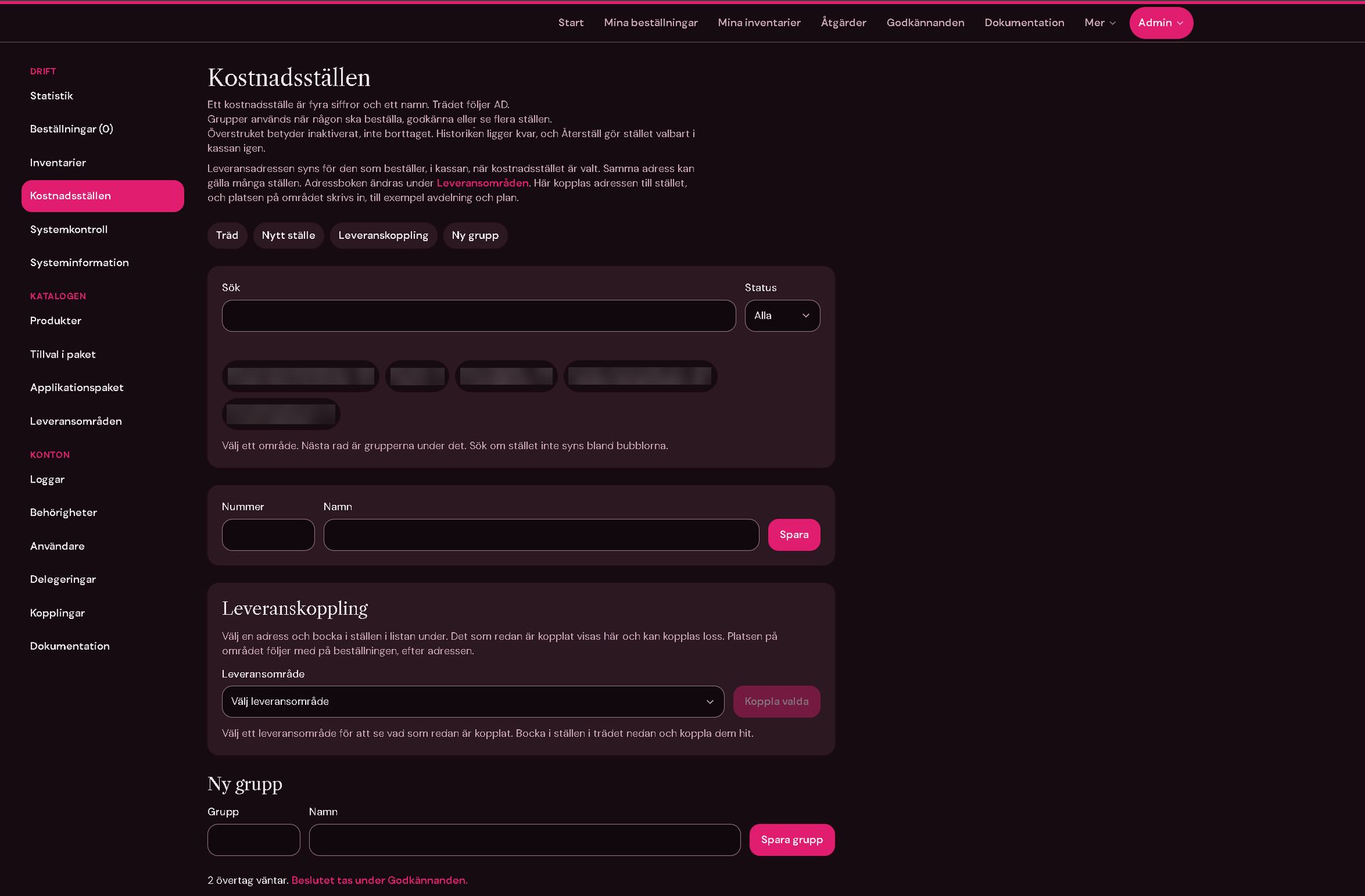
- Tree and groupsFour-digit cost centres in groups, searchable by number or name; groups are used to order for, approve or view several places at once.
- Inactive, not deletedA closed cost centre is struck through and the history stays; it can be restored.
- Delivery areasAn address book of delivery areas linked to cost centres, with the exact spot (department, floor) on each order.
Managing the catalogue
Admins keep the catalogue up to date themselves: products, the add-ons in each package, the application packages and the delivery areas, without touching the code.
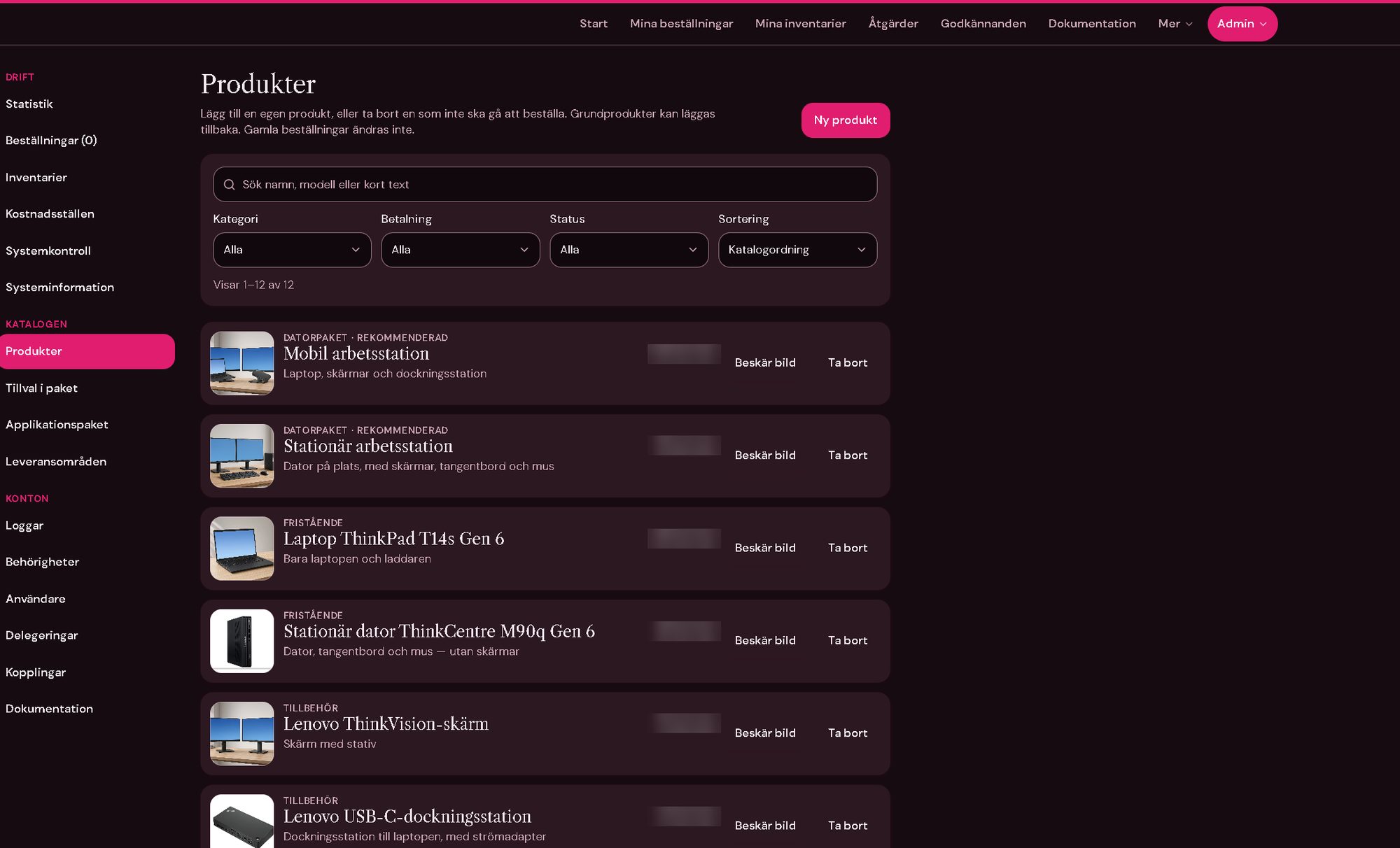
- ProductsAdd your own products, hide or remove the ones that should not be ordered, and bring base products back; old orders never change.
- FiltersSearch by name, model or text, and filter by category, payment (rent or buy) and status, in catalogue order.
- ImagesProduct photos with cropping in the browser.
- Add-ons and packagesThe options offered in each computer package and the application packages a computer can get.
- Delivery areasAn address book of delivery addresses in groups, with sorting and the option to hide an address at checkout.
Roles, delegation and logs
Rights are given per person and scope rather than all or nothing, and every change can be traced.
- RolesBuyer, approver, controller, support, admin and superadmin, each a set of permissions shown in a matrix.
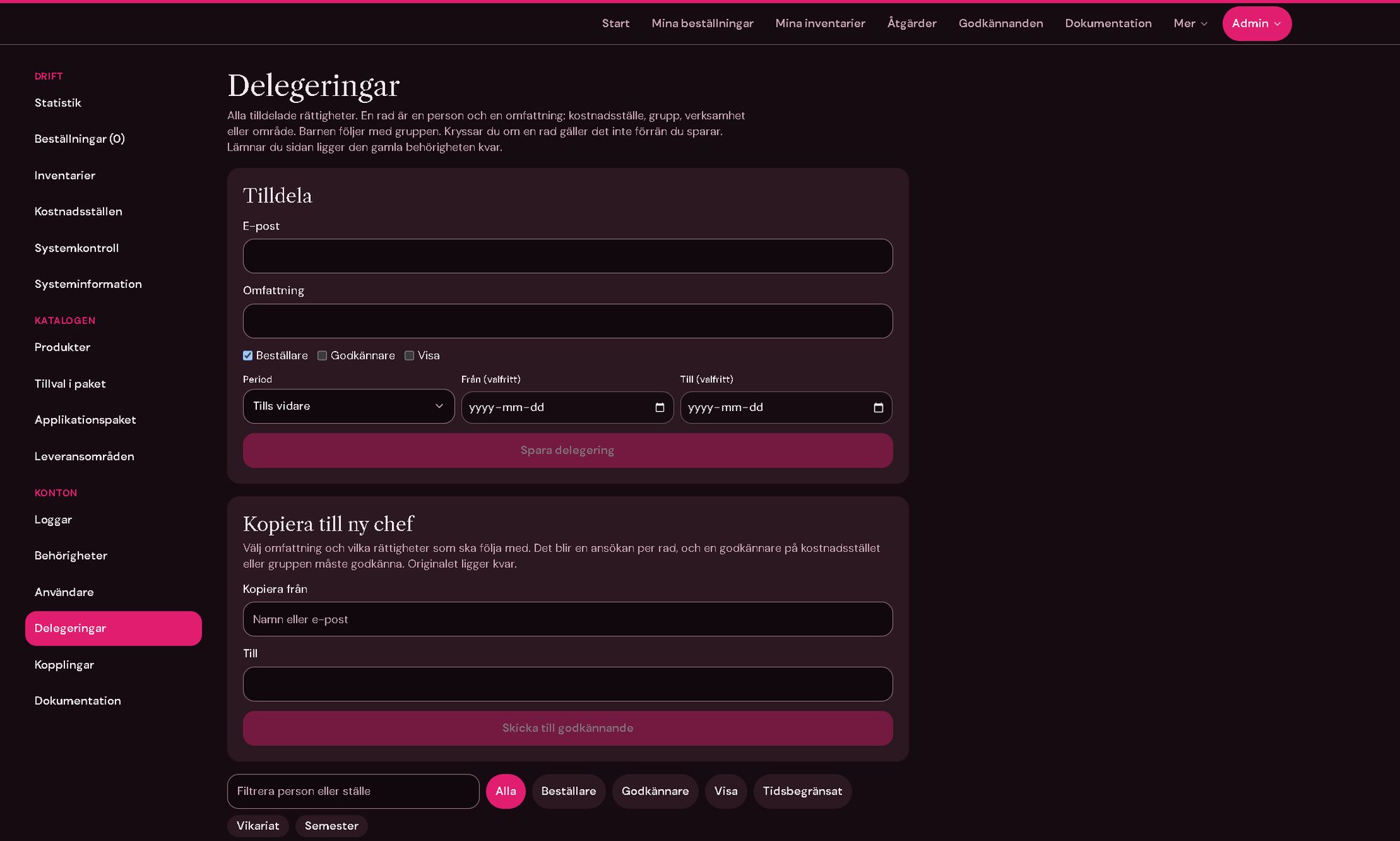
- DelegationGive a person rights as buyer, approver or viewer for a cost centre, group or area, until further notice or for a period such as a holiday or a substitute.
- New managerCopy a manager's delegations to their successor; each row becomes a request that an approver confirms.
- Access reviewAccounts with extra rights that have not logged in for 90 days are flagged, and the shop makes sure more than one account can manage users.
- LogsLogins, failed logins, status changes and edits in an audit log with filters and CSV export.
Operations
The shop reports on its own health, so problems show up in the admin before users notice them.
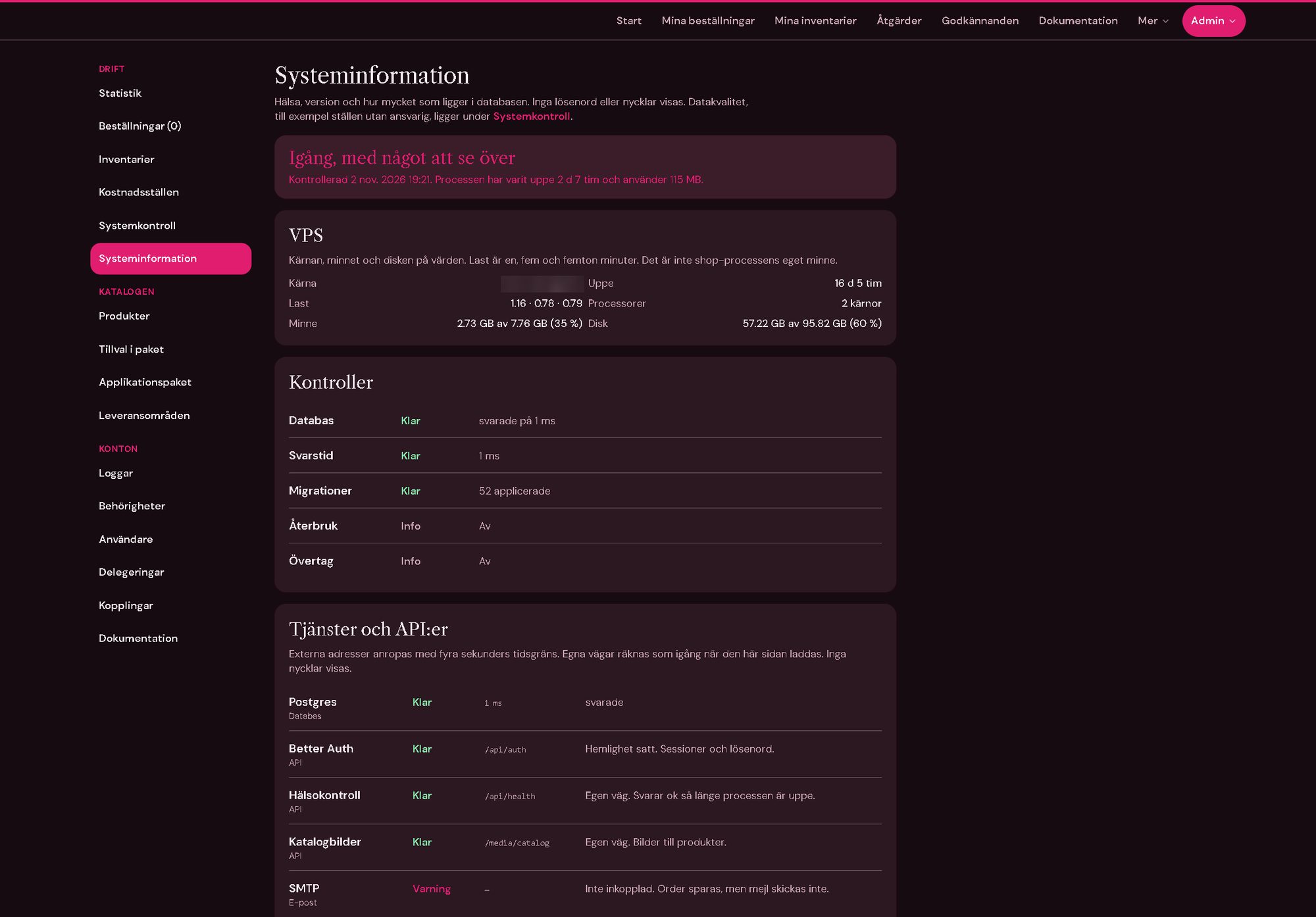
- System informationUptime and memory of the process, load, memory and disk of the host, database response time and applied migrations.
- ServicesStatus of the database, login, health check, catalogue images and e-mail, and of the directory and service desk integrations that are not connected yet.
- No secrets shownThe page says whether a secret is set, never what it is.
- DocumentationBuilt-in guides for end users, administrators and the technical side, written in the shop's own terms.
- Test and productionTwo separate sites, so new versions are tried out before they reach real orders.
On a phone
The whole shop works on a phone: the start page, the catalogue and the configurator, all the way to the cart.
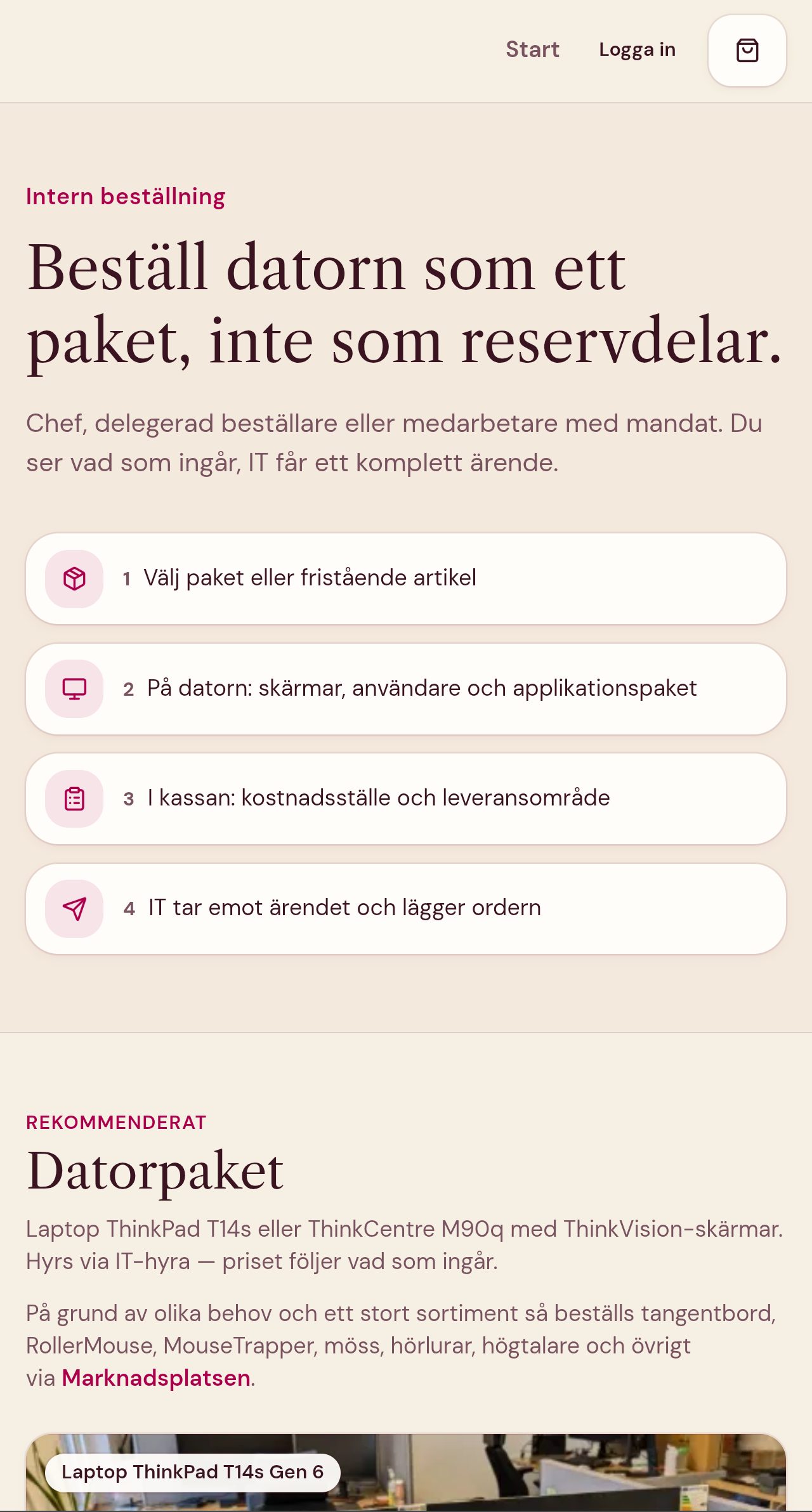
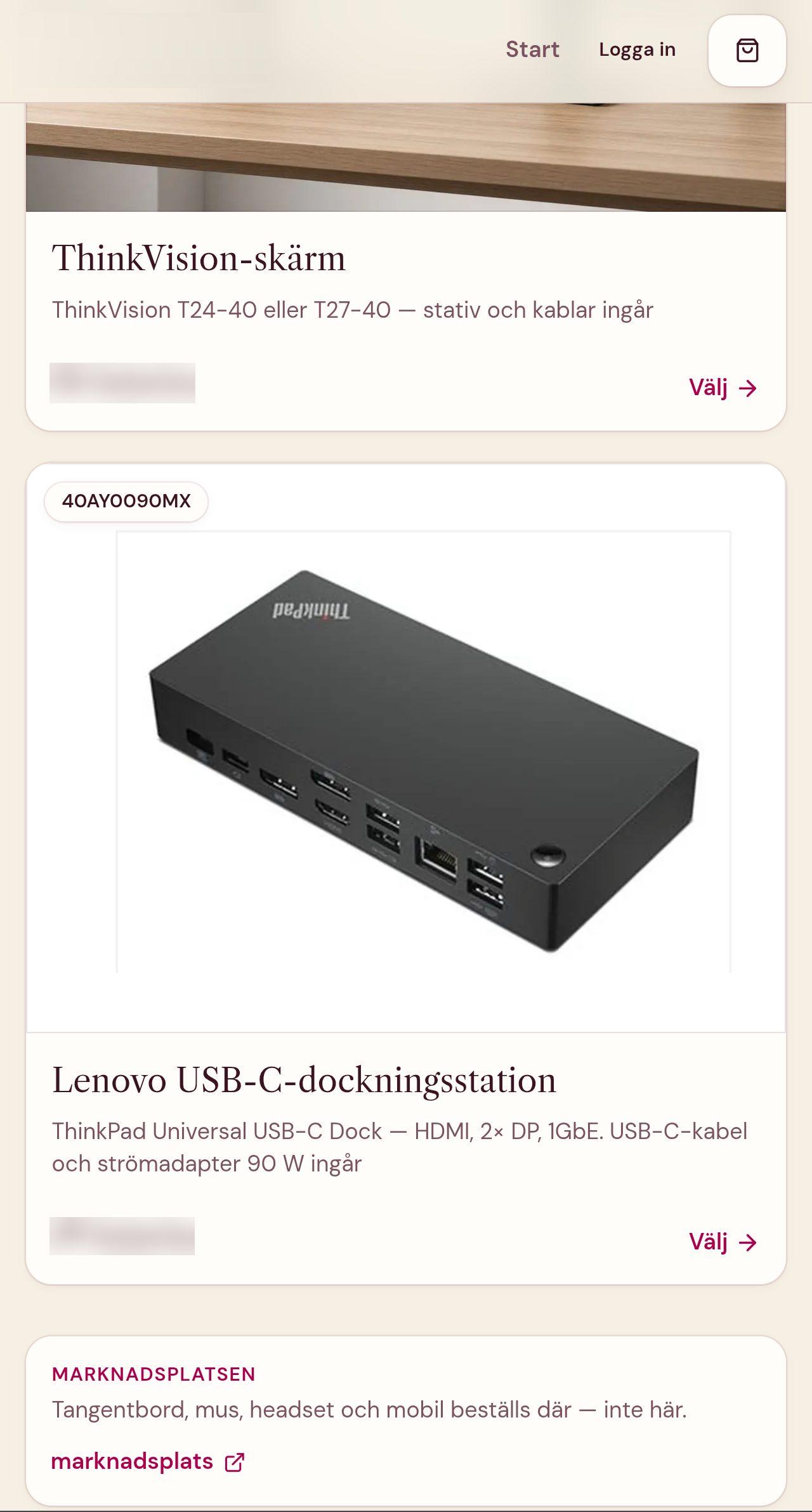
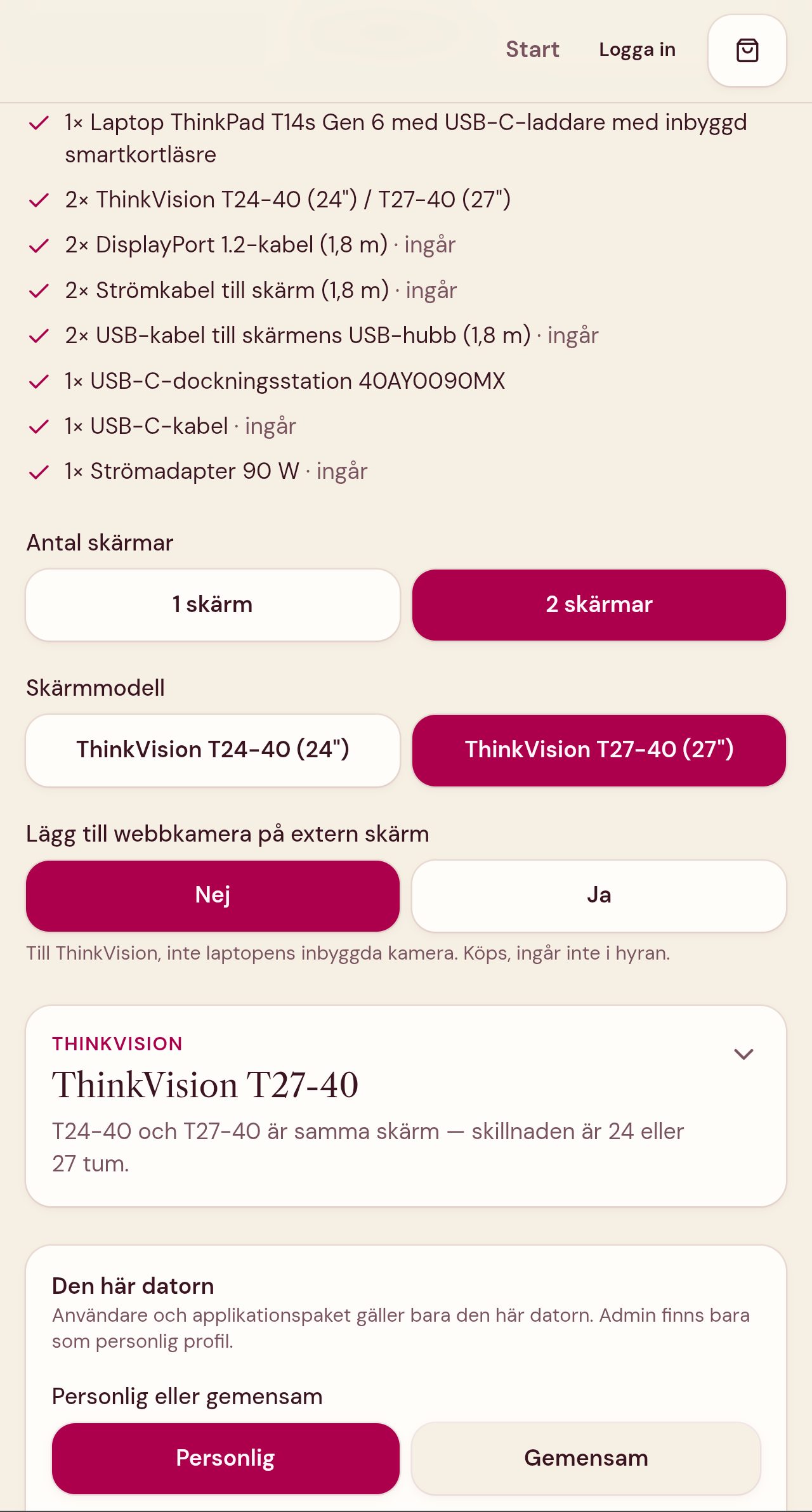
- ResponsiveThe same pages and the same flow on a phone as on a desktop, nothing left out.
- Light and darkThe phone screenshots show the light theme; the desktop screenshots a dark theme tried out on the test site.
Stack
Tony's role
Tony's own project, from idea to production: he designed the ordering flow, the data model and the admin, built the shop and its tests, and runs it in Docker on self-hosted infrastructure with separate test and production sites.